
The Machine Queue allows the possibility to perform multiple operations in one g-code program. Either as multiple operations on one shape or several operations on multiple shapes to produce one part.
An example of the former is a contour roughing pass. You may leave a few thousandths allowance in the first queue operation and in a second, make a finishing pass at full depth with no allowance.
An example of the latter would be three operations on three shapes to produce a drilled flange. For example, an inside contour for the cut on shape 1, a drill cycle on a bolt circle shape 2 and finally an outside contour of shape 0.
Entries in the Machine Queue show three items of information:
Operation type, Shape Nr, Tool Nr
Only the machine queue items that are checked on the left will be included in the g-code generated. You may define several items in the queue and then machine then sequentially one at a time by checking and unchecking the appropriate queue entries.
Entries in the queue can be reordered by highlighting the entry to move and click the "MoveUp" and "Down" buttons.
Generate G-code to File
This button generates g-code for each entry checked in the machine queue and writes it to a file. The output file name is set in the menu item Settings. This button will not work if a license is not installed or the trial period is over.
Show G-Code
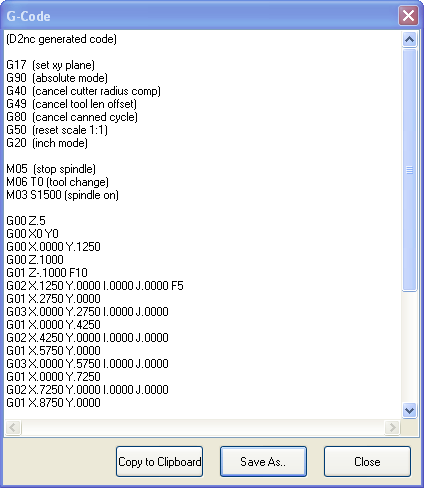
This button generates g-code for each entry checked in the machine queue and displays it in the g-g-code window. From here you can make adjustments to editable g-code and then copy it to the windows clipboard or save it to a new file. This button will not work if a license is not installed or the trial period is over.


