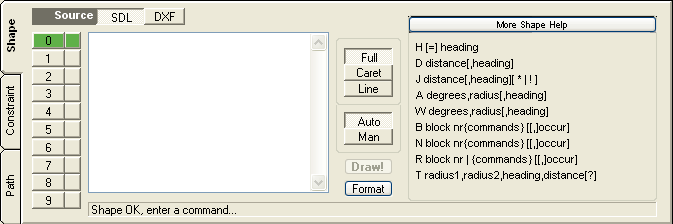
Shape Selector
You can describe multiple shapes (up to 10 are supported) using the shape selector. Each shape described is separate from any other. The selector is in two parts, Active and Visible. Only one shape can be active at a time but any number can be visible. The visibility selector can be in three states:
green - visible
blue - hidden
red - hidden with parsing errors.
Shape Description Area
The shape description area is where you enter commands from the Shape Description Language to describe a shape. No formatting is required and all commands can run together. For readability and problem solving its recommended to enter one command per line. The control-f key sequence will reformat the area placing one command per line.
Full/Caret/Line
Each keystroke is evaluated and the resulting shape is displayed. By default the full shape is processed. By selecting Caret, the shape is displayed only up to the current cursor position. The Line option will display the shape up to the end of the current cursor line. These two options are a great way to debug your shape description if its not producing the shape you think it should.
Auto/Manual
In auto mode the shape is redrawn after each keystroke. In manual mode the shape is redrawn only when the Draw! button is pressed.
Draw!
When in manual mode, the Draw! button processes the full shape description.
Format
The format button restructures the SDL input to one command per line.
Panel Selector button (Shape Detail / Shape Help)
The selector button cycles through the following panels:
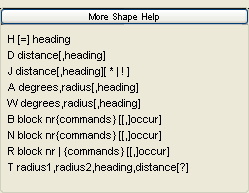
Shape Help
A quick reference to the complete Shape Description Language. For more detailed help on any one command, click on that command.

Shape Detail
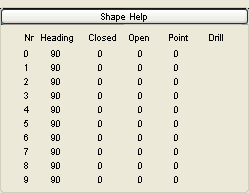
For each shape, the table shows the absolute heading in the unit circle, the number of closed and open chains in the shape, the number of points in the shape and if the shape can be used for drilling. For the rules on how shapes can be used see the path help .
Message Line
The message line will give information about any error in the SDL syntax.


